Run your whole team and all your work in one place.
OneBy gives your whole team one place to manage customers, projects, scheduling, and invoicing, from the first request to the final payment, for any business in any industry. Tailored to how you work, with a dedicated account rep and an open connector for the AI you already use.
Founding members lock in early pricing →
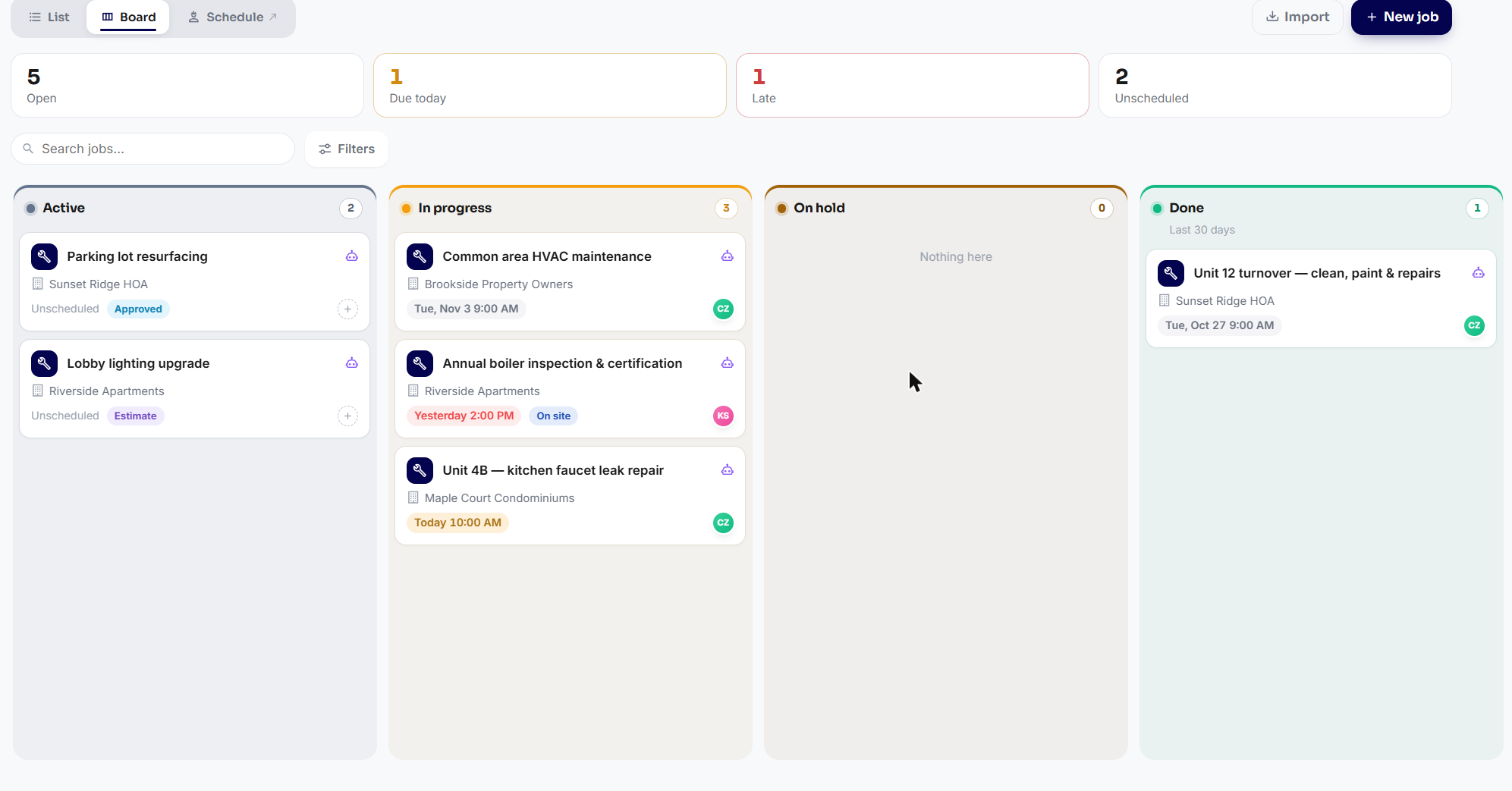
Everything your team needs to run the work, in one place.
Your team, the work, the schedule, the money, and the customer — all together, instead of stitching five apps and a spreadsheet into something that sort of works.
The actual product, not a mockup.
These are real screens from a live OneBy account. Here's what your team sees from day one.

See the whole week at a glance — who's going where, and when.
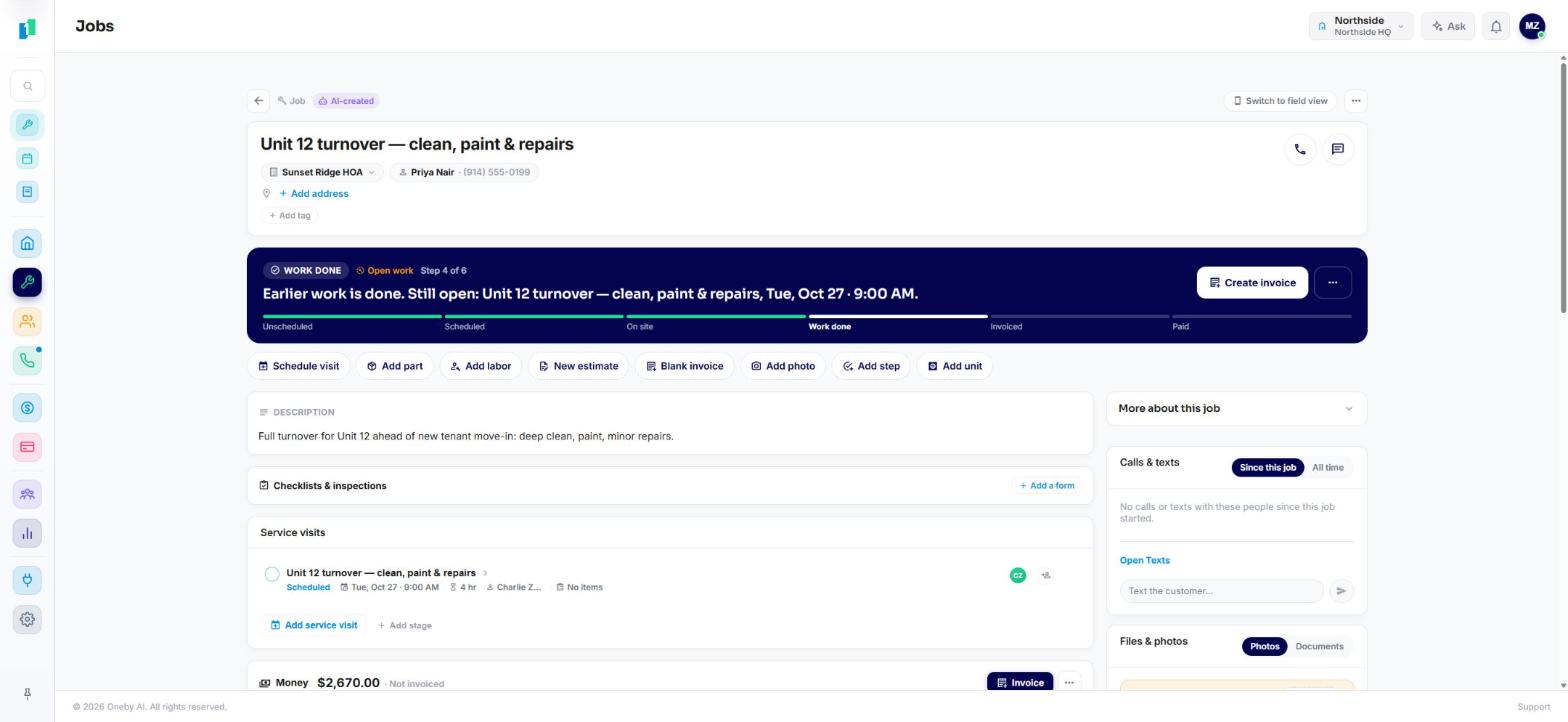
Every job, first request to final payment
One screen follows the work across every stage — scheduled, on site, done, invoiced, paid — with the customer, the visit, and the money all in view.
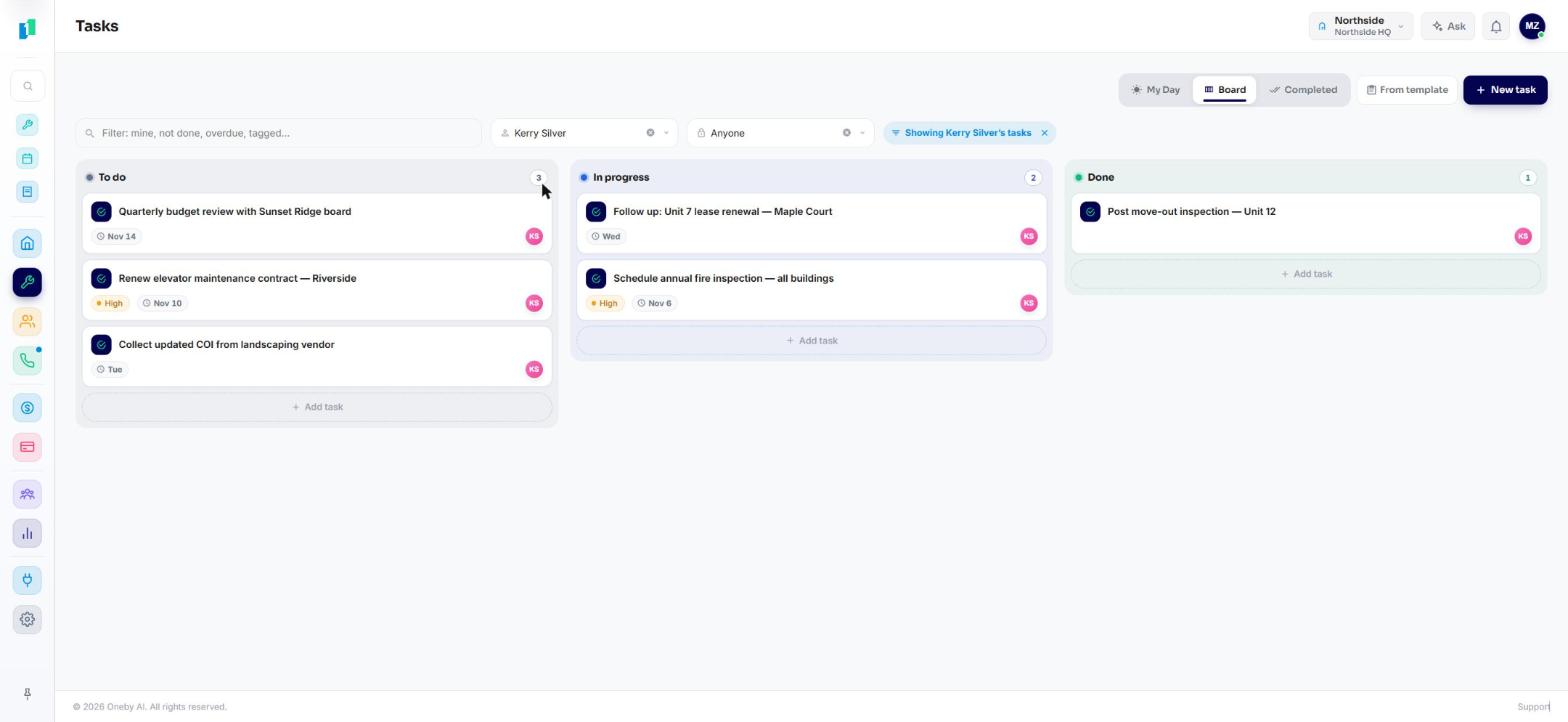
The team's work, assigned and tracked
A simple board of who's doing what, with priorities and due dates, filtered to one person or the whole team.
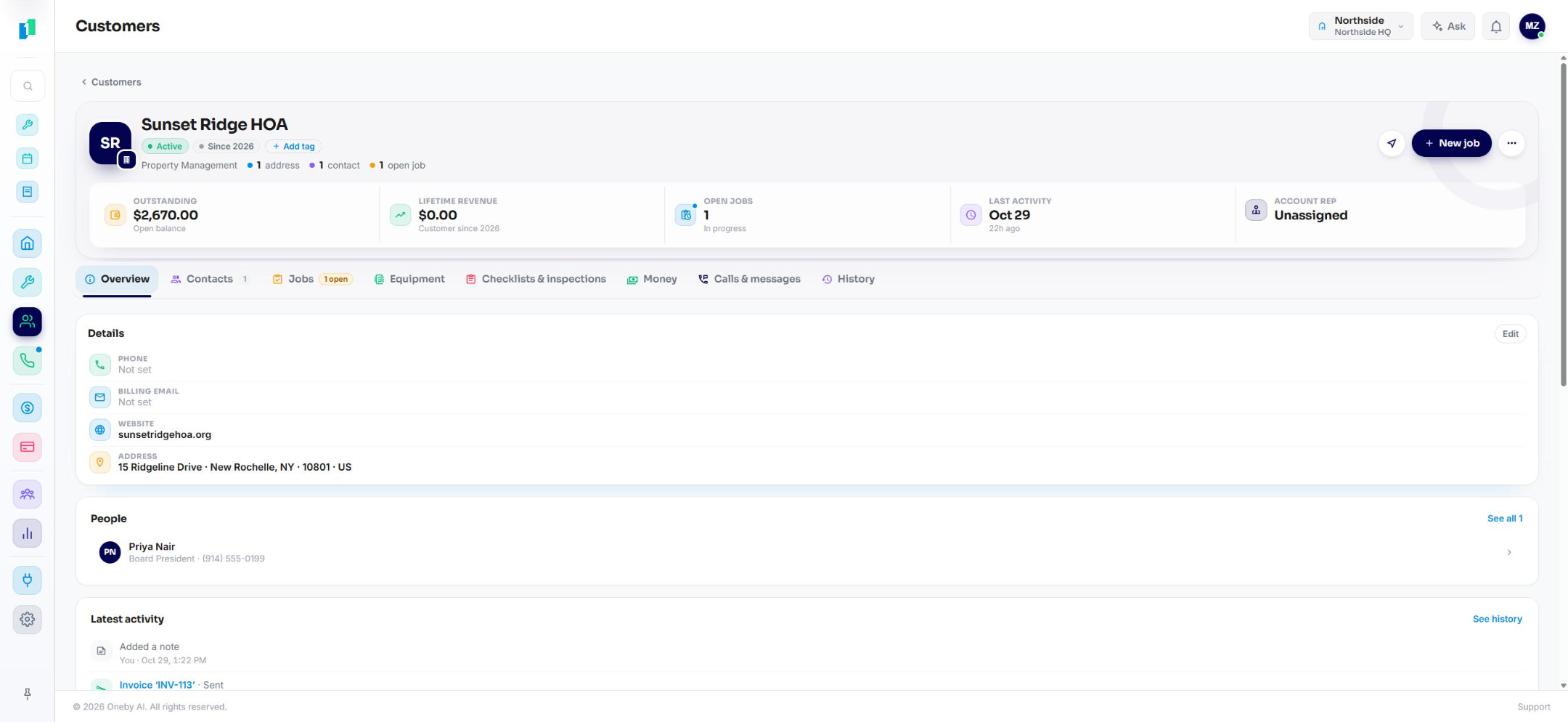
One timeline for every customer
Open balance, open jobs, contacts, and every note and invoice on a single record the whole team can see.
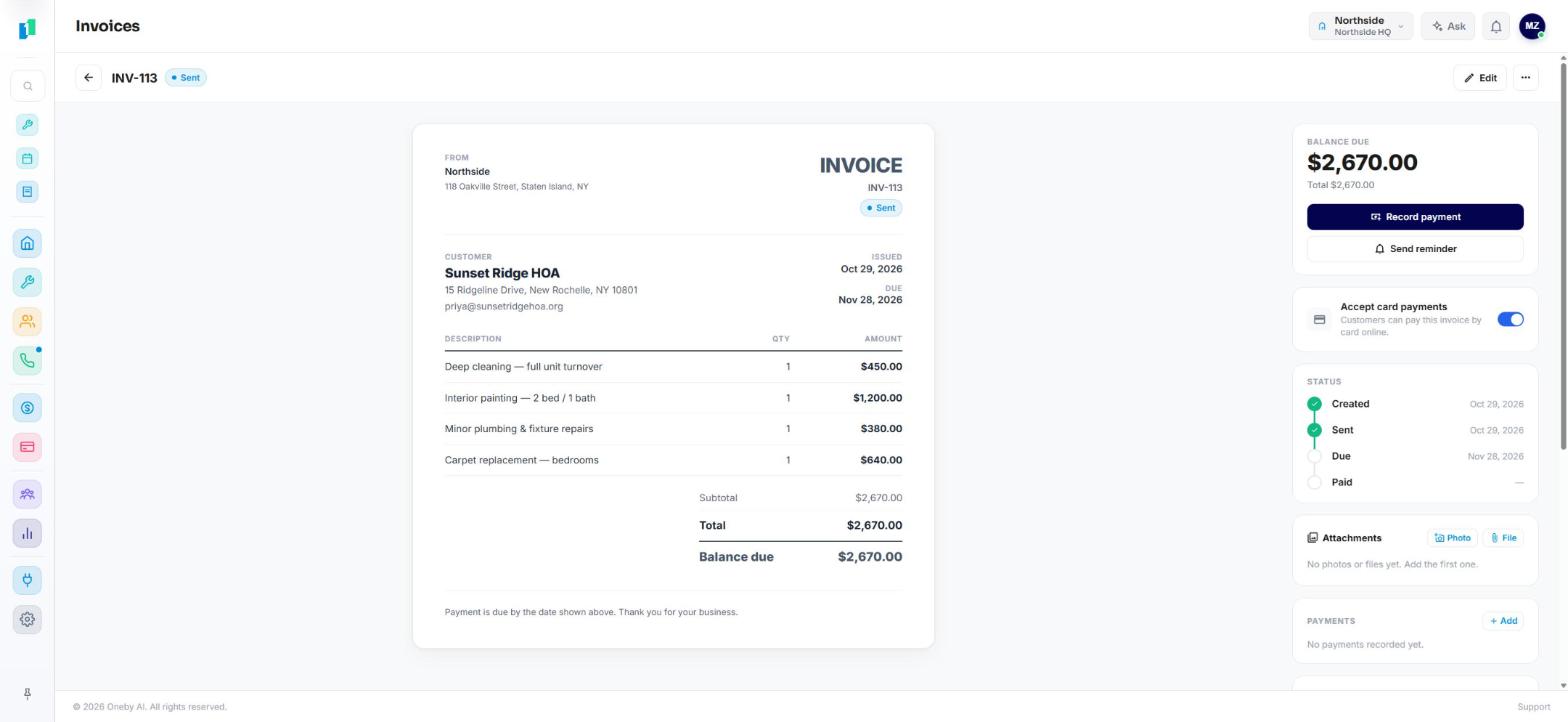
Invoice the work, get paid by card
Build the invoice from the job, turn on card payments, and track it from created to sent to paid.
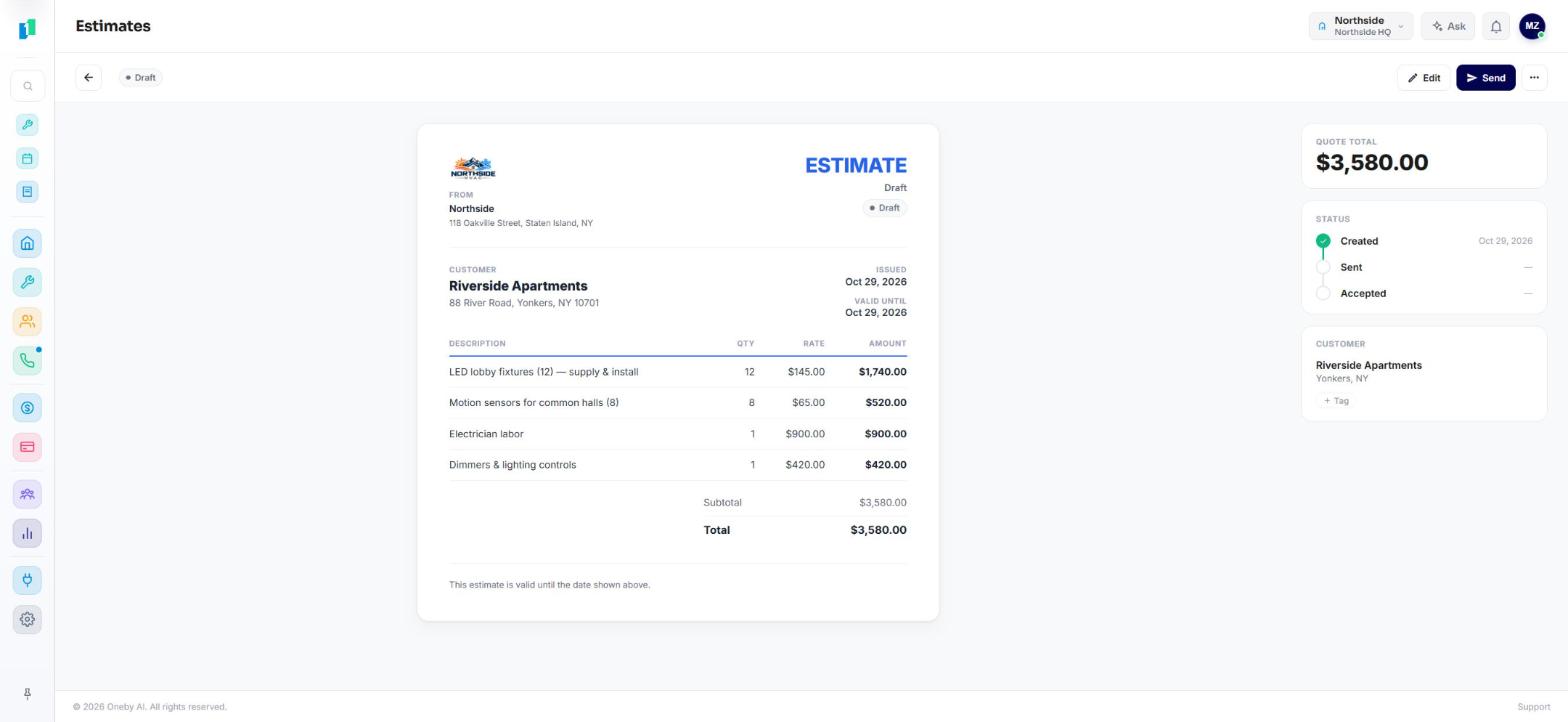
Estimates the customer can approve
Itemized quotes with your prices, sent for approval and turned into a job the moment they say yes.
Want the full walkthrough?
We'll set OneBy up around how your team already works, with a dedicated rep to get you going.
Request an invite
Connect the AI you already use — Claude, ChatGPT, Gemini, Cursor, and more.
Point your own AI at your business.
OneBy opens a secure connector to the assistants you already use. Ask about your customers, jobs, and invoices in plain English, and let it do the busywork when you say so. No in-house black box, no new tool to learn — bring the AI you already trust.
- Works with Claude, ChatGPT, Gemini, Cursor — and any model that allows connections
- 500+ actions — customers, jobs, invoices, scheduling, reports
- Read-only by default. You choose what it can change.
The same jobs-to-paid workflow. Plus your phone and your AI.
Jobber and Housecall Pro are good at running jobs. OneBy runs jobs too, then adds the business phone, an open connector for the AI you already use, and a dedicated rep with onboarding on every plan.
OneBy
Jobber
Field CRM
Housecall Pro
Field CRM
Comparison reflects typical product positioning. Competitor names are trademarks of their respective owners.
One price. Every feature.
No tiers to decode and nothing held back. The whole platform, for every seat on your team.
- Every feature included — no locked tiers, no add-on upsells
- Complimentary one-hour onboarding to get your team live
- A dedicated account rep, and customizations for how you work
- No contract, cancel anytime
Questions, answered.
Still weighing it against Jobber or Housecall Pro? Book a 20-minute demo and we'll walk your exact workflow.
Talk to usYes. Jobs and tickets, scheduling and dispatch, estimates, invoicing and card payments, the price book, equipment history, and every customer's record live in one place, so a job goes from request to paid without jumping between apps and a spreadsheet.
You get the same jobs-to-paid workflow, plus the things a plain field CRM doesn't have: a built-in business phone and SMS, an open connector for the AI assistant you already use, online fax, and a CRM that's free to start.
Yes. OneBy opens a secure connector to the assistants you already use — Claude, ChatGPT, Gemini, Cursor, and any model that allows connections. Ask about your customers, jobs, and invoices in plain English, and let it do the busywork when you allow it. It's over 500 actions, read-only by default, scoped to exactly what you permit.
Turn a finished job into an invoice and text the customer a pay link they tap to pay by card. You can send quotes for approval first, bill bigger jobs in milestones, and set up recurring invoices that charge the card on file each cycle.
No. Most shops start with jobs and invoicing, then turn on scheduling, the price book, and the rest when they're ready. Keep your current number and tools running in the meantime.
Yes. Role-based access means owners see everything while office staff and field techs get exactly the view they need. There's a mobile app for the field, and you can run several businesses or locations under one login.
The CRM is free to use, and a dedicated business line is $15 a month. No per-seat traps, no contract, and no surprise bill. See the pricing page for the full plans.
Most teams are running the same day. Add your customers (or import them), set your services and prices in the price book, and start booking and invoicing jobs within minutes.
Run it all on OneBy, with a team behind you.
One platform for your customers, your team, and your entire sales cycle, for any business in any industry. $15 per user per month, every feature included, onboarding and support on us.
A dedicated account rep
A real person who knows your account, not a ticket queue.
Complimentary onboarding
A free one-hour session to get your whole team up and running.
Built to fit you
Custom fields, workflows, and configurations for how you work.
Open AI connector
Bring Claude, ChatGPT, or Gemini, read and write, with your permission.